


Objectives & Goals
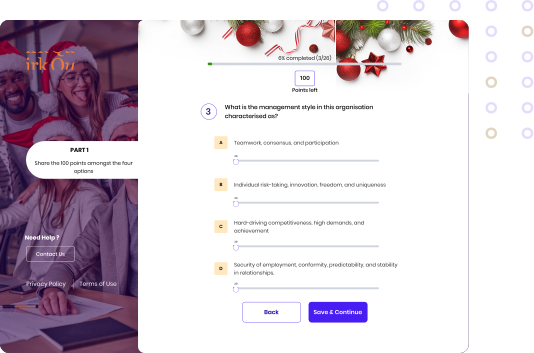
The objectives of the Quirk Survey Tool redesign were to simplify the user interface, improve the question format for effective data collection, and enhance the visual appeal of the tool. The goal was to create a user-friendly and engaging survey experience
Role
UX Designer
Performed
- User Interface design
- User Experience design
- Interaction design
- Information architecture
- Ropid prototyping
- User reserch
Delivered
- Design Systems
- Interactive prototype
My Process
I applied the five-stage design thinking framework that was covered in the Google UX Certificate Course. which emphasizes tackling design problems with the goal to understand the problem, improve the proposed solution, and continuously implement improvements.
Problem Identification & Scope
Definition
Identified the existing challenges within the Quirk Survey Application and defined the scope of the redesign project.
SKETCHING & WIREFRAMING & DESIGNING
I initially drew the wireframe for this on paper before transferring it to Figma.
After that, I performed a usability study on randomly selected) TradeByKofi's customers to determine whether users could complete the app's main task.
After the initial usability study, I revised the wireframes, and using those revisions as a framework, I created the final design in Figma.
TESTING
To find out if users could complete the main function of the app, I conducted a second usability study on five(5) of TradeByKofi's customers.
User Engagement & Feedback Gathering
Engaged with stakeholders to gather feedback on their experience and understand their needs.
ideation
Based on my investigation, I came up with the best solution to the problems that were outlined.
The absence of a website for Heritage 100 presents a significant pain point as it hampers the company's ability to showcase its luxurious real estate offerings effectively. Without an online presence, Heritage 100 misses out on the opportunity to reach potential clients.
PAIN POINT
1
TIME
Working adults are too busy to visit the shop
2
LONG DELIVERY TIME
Most companies delay in delivering their order
3
CATOLOGUE
They do not have access to wide selection of products.

Rattan Direct
- They have quality images to show products
- Page sections are organised in a way that catches the user attention.The explore and the offers are shown to users in the first screen when the user opens the app for the first time
- Search bar is in the first screen at the top
- Offer reward during certain periods
- Wide range of creative products
Partner & I Rattan Fabric
-Categories are shown at the top
- The ongoing offers and sales are on the homepage
- The search page has a filter for finding items
- Wide range of products
User Persona
Senam
Senam love furniture made with rattan and would love to have more collection of that
Age:
35
LOCATION:
Accra, Ghana
EDUCATION:
Bachelors degree
OCCUPATION:
Nurse
Bio
Goals
Get a catalogue of furnitures to choose from
Order for a product that can be delivered to your home
Be able to track your order
Doesn’t get variety of furniture.
She has a hard time ordering for a furniture
Frustrations
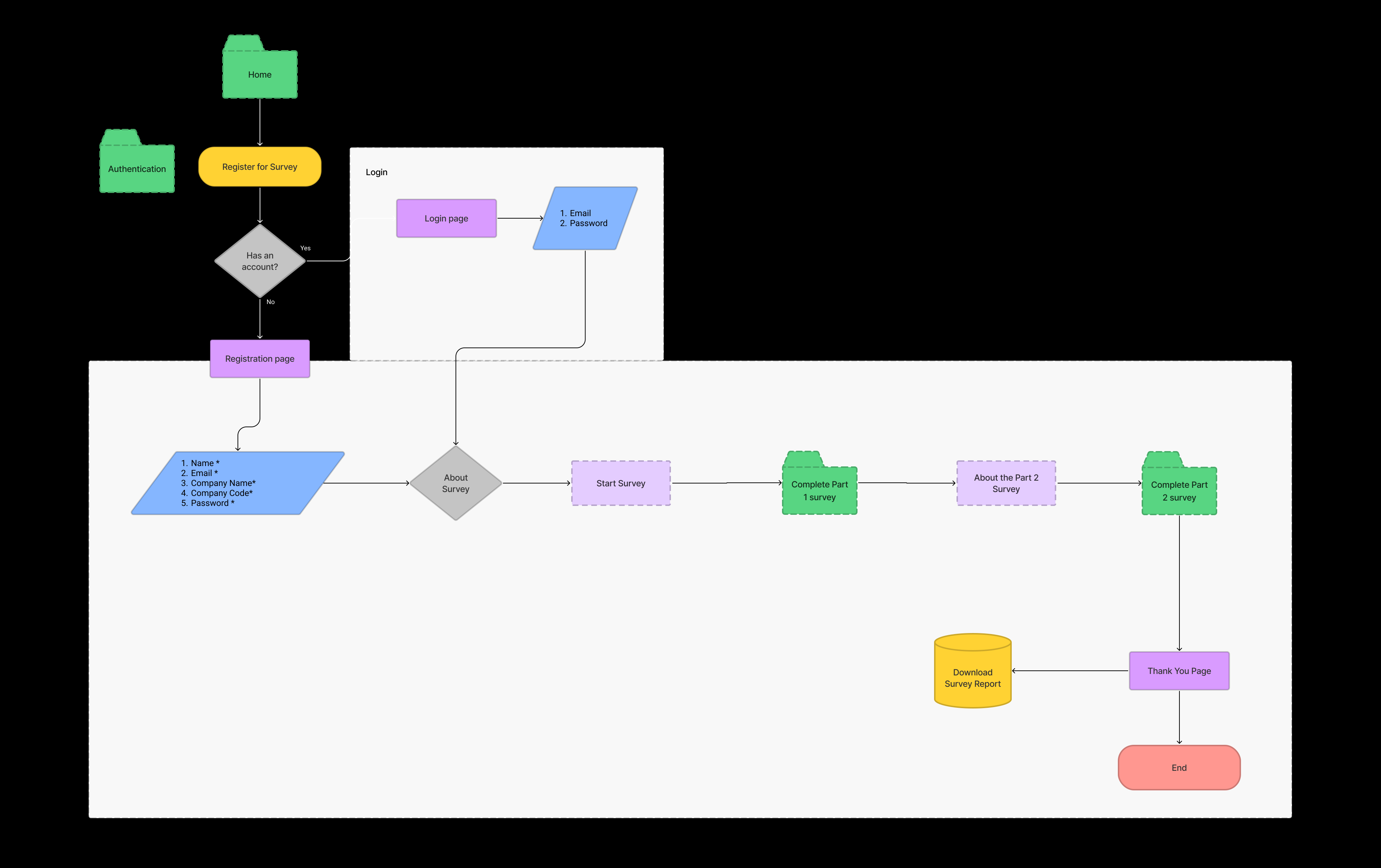
Usability Study
PREVIOUS DESIGN CHALLENGES
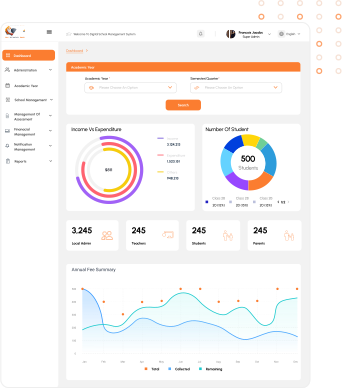
The previous UI dashboard for the Digital School Management platform had the following issues
- lacked intuitive navigation and failed to present statistics effectively.
- Users struggled to switch languages, identify their logged-in status, and access previous pages.
- Notifications were poorly managed, making it challenging for users to view sent and received messages.
Overall, the interface lacked visual hierarchy, search functionality, and user-friendly features compared to competitors like Brisoft Ghana and LearnEase Ghana.
Early models did not allow for size customization; the item you chose will have its own size.
I created a feature that allows customers to enter their measurements or even choose to have a professional come to their home to record measure based on their home setting after doing usability tests to match a certain area of their home.
In addition to making the app compatible with assistive technologies, easy navigation was a crucial user demand that had to be addressed in the designs.
Usability Study
I carried out two iterations of usability tests.
The first study's findings were used to inform the wireframes and mockups of the designs.
The second research showed which elements of the mockups needed to be improved through the usage of a high-fidelity prototype.
Round 1 Findings
1
Lack of language toggle and unclear login indicators.
Difficulty managing notifications and accessing messages.
Poor visual hierarchy and inconsistent font sizes.
2
3
Round 2 Findings
1
The checkout process has too many unnecessary steps
Users want an option for pickup
2
Early designs did not indicate the item's price on a product on the homepage; however, after usability studies, each product now has a price.
Early models did not allow for size customization; the item you chose will have its own size.
After doing usability tests, I included a feature that allows users to input their measurements or even choose to hire a professional to come to their home and take the measurements for them in order to match a certain area of their home.
After the second usability test, I included a pickup option for customers who prefer to pick up their own things.
Mockup
SPLASH SCREEN
HIGH FIDELITY PROTOTYPE
The final high-fidelity prototype presented cleaner user flows for selecting a furniture and ordering. It also met user needs for tracking the order and delivering as well as other customization
View the TradeByKofi’s high-fidelity prototype
View Prototype
© Copyright 2023. All rights Reserved.